

As an Amazon Associate we earn from qualifying purchases. If you buy through links on this page we may receive a commission at no extra cost to you. Product details come from Amazon listings and can change.
Finding the best affordable drawing tablets for preschoolers is harder than it looks, because the word tablet covers very different things. Some picks here are simple LCD doodle pads that clear with one press. Others are magnetic boards with stamps, a squishy gel board with washable markers, and one true pen tablet that connects to a computer. This guide sorts them out in plain language so you can match a product to a three, four or five year old.
The guide is written for parents, grandparents and gift buyers who want a reusable, low mess art tool without paying for a full computer tablet. We look at screen size, weight, battery design, erasing, lock switches and how each product is aimed at young children. Where a pick is a poor match for ages 3 to 5, we say so directly.
Prices change often, so we do not quote any. Each product below links to its live listing, where you can see the current cost, size options and delivery details before you decide.
Key Takeaways
Best Affordable Drawing Tablets For Preschoolers at a Glance
| Product | Our score | |
|---|---|---|
| 10 Inch LCD Writing Tablet for 3-8 Year Olds Best Overall |
9.2 / 10 | Check Price |
| LCD Writing Tablet for Kids Best Replaceable Battery Design |
9.0 / 10 | Check Price |
| FLUESTON LCD Writing Tablet for Kids Best for Screen Comfort |
9.0 / 10 | Check Price |
| LCD Writing Tablet 10 Inch Best Slim Build |
9.2 / 10 | Check Price |
| KOKODI LCD Writing Tablet 8.5-Inch Colorful Doodle Board Best Compact Size |
9.0 / 10 | Check Price |
| [4 Pack] Genialba LCD Writing Tablet 8.5-Inch Colorful Doodle Best Multi Pack Value |
9.2 / 10 | Check Price |
| 15 Inch LCD Writing Tablet for Girls Ages 3 Best Large Screen |
9.2 / 10 | Check Price |
| SGILE Magnetic Drawing Board for Kids Best Stamp Drawing Board |
9.2 / 10 | Check Price |
| Crayola 2-in-1 Doodle Board for Toddlers Best Mess Free Gel Board |
8.8 / 10 | Check Price |
| Wacom Intuos Small Best Step Up Pen Tablet |
9.2 / 10 | Check Price |
How We Chose the Best Affordable Drawing Tablets For Preschoolers
This is a research based guide, not a lab comparison. We read each product listing closely, noting the screen size, weight, materials, battery design, safety details and the age range the seller states. We also drew on general knowledge about how LCD writing pads, magnetic boards and pen tablets work, and we looked for a balance of options so that families with different needs and budgets have a real choice.
Because the keyword says affordable, we favored simple, durable products that avoid expensive extras. Each pick has an editorial score out of 10 shown on the site, based on its features, specs and how well it fits the use case of ages 3 to 5. A product with a lower fit for this age group can still appear, as long as we explain the reason plainly.
In-Depth Reviews
1. 10 Inch LCD Writing Tablet for 3-8 Year Olds: Best Overall

Our score: 9.2/10 iOur editorial score (1 to 10), based on listing specs, features and how well each pick fits its use case. It is not an Amazon customer rating.
10 inch LCD screen About 150 grams Screwed battery door Ages 3 to 8
The 10 Inch LCD Writing Tablet for 3 to 8 Year Olds takes the top spot because it does the basics well and keeps the design simple. It is a thin electronic doodle board with a colorful screen, a stylus and a single erase button. A preschooler can understand it in seconds: press down to draw, press the button to wipe it clean. That clear cause and effect matters at this age, and it is why this pad leads the list.
The listing describes a ten inch colorful LCD screen that draws lines of different thickness depending on how hard the child presses with a stylus, a fingernail or another hard object. A lock key stops the drawing from being cleared by accident, which helps when a child wants to show a finished picture to a grown up. The seller also says the pad can be rewritten more than one hundred thousand times. Stylus and finger friendly play makes it welcoming for beginners.
This pad suits kids who like to scribble, trace shapes, draw faces and practice early letters and numbers. Because nothing needs to be sharpened, refilled or washed, it fits easily into car rides, waiting rooms and restaurant tables. The listing states it is meant for ages three to eight, so a four year old can grow into the tablet and keep using it as drawing skills improve through the early school years.
A few practical points are worth knowing. The listing says the battery door is held shut by a screw, which is a sensible safeguard because small batteries should stay out of little hands. An adult should handle that screw and check the door now and then. The pad weighs about one hundred fifty grams and has rounded corners, but it is still a thin piece of plastic, so teach gentle handling and keep it out of bags with heavy items.
2. LCD Writing Tablet for Kids: Best Replaceable Battery Design

Our score: 9.0/10 iOur editorial score (1 to 10), based on listing specs, features and how well each pick fits its use case. It is not an Amazon customer rating.
10 inch LCD screen Replaceable built in battery About 150 grams Lock switch
The LCD Writing Tablet for Kids in the ten inch size earns second place for a practical reason: its battery is described as replaceable. Many families dislike the idea of a toy that ends up in a drawer when a power cell runs out. Here the listing says the built in battery lasts about six months and can be changed, so the pad can stay in use for far longer than a single cell would allow.
The tablet uses pressure sensitive technology, so lines get thicker or thinner depending on how hard a child presses with the stylus or any hard object. The listing explains that the erase button clears the screen in one second, but only when the lock switch is turned off. That small detail is useful to know on day one, because a child who cannot clear the screen has usually just left the lock on. The seller also promises around one hundred thousand writing and drawing cycles.
This pad is a good fit for children who like to draw every day and for parents who want a tool that will outlast one season of play. The listing places it among educational toys for preschoolers and suggests uses such as road trips, airplane rides and quiet time at home. A child can practice shapes, names and numbers, then wipe the slate clean and start over without any paper waste. Parents who want to cut down on paper scraps and dried out markers will see the appeal right away.
There are a few cautions. The listing calls the pad waterproof and resistant to drops, but treat those claims as general comfort rather than a license to be rough, and never submerge it. A replaceable battery means someone must open the compartment at some point, and that job belongs to an adult. Keep spare batteries and any removed parts well away from toddlers and younger siblings. Treat the stated figures as the seller’s claims and not as promises.
3. FLUESTON LCD Writing Tablet for Kids: Best for Screen Comfort

Our score: 9.0/10 iOur editorial score (1 to 10), based on listing specs, features and how well each pick fits its use case. It is not an Amazon customer rating.
10 inch LCD screen No blue light claim One click clear Ages 3 to 8
The FLUESTON LCD Writing Tablet for Kids stands out for the way its listing talks about screen comfort. It describes a flexible color LCD that is not self illuminating, which means it does not glow like a phone or a computer tablet. The seller says there is no blue light and presents the pad as a gentler alternative to a backlit device. For a parent trying to limit glowing screens, that distinction is a real selling point.
Like the other LCD pads, it works through pressure. The listing says lines turn out colorful and clear, and that the depth of each line changes with how hard the child pushes, much like writing with a pencil. A one click erase button wipes the screen and a lock stops accidental clearing. The pad measures ten inches across, which gives a four or five year old plenty of room for big, bold scribbles.
The listing aims this product at children between three and eight, and it mentions counting numbers, spelling short words and drawing at home, in the car or on a plane. It also suggests uses as a message board, which can help a family leave simple notes for each other. For a preschooler, the most natural uses are shape tracing, copying their own name and drawing pictures to show a grown up.
Keep expectations realistic. Calling a screen friendly does not mean a child should stare at it for hours, so build in breaks like any other activity. The listing also pairs this pad with a magnetic drawing feature, so check the product page for exactly what is included before you buy. As with every battery powered toy, an adult should be in charge of the battery area and any small parts. A short routine of draw, erase and rest helps keep the play balanced.
4. LCD Writing Tablet 10 Inch: Best Slim Build

Our score: 9.2/10 iOur editorial score (1 to 10), based on listing specs, features and how well each pick fits its use case. It is not an Amazon customer rating.
10 inch writing area 0.23 inch thin 6.4 ounces ABS plastic body
The LCD Writing Tablet 10 Inch with the colorful doodle board design is the slimmest pad in this group. The listing gives a thickness of just under a quarter of an inch and a weight of about six and a half ounces. That makes it easy to slip into a backpack, a diaper bag or the seat pocket of a plane, and it keeps the pad from feeling bulky in small hands.
According to the listing, the body is made of ABS plastic and the screen is a smooth, flexible LCD that responds to pressure. A one click clear button and lock switch work the same way as on other pads here. The seller also mentions a magnet on the right side and an extra stretchy cord, which suggests the pad can be hung or stuck to a metal surface, though the exact use should be checked on the product page.
This model is named for kids aged three up to twelve, so it has a wide age span. That helps a family with two or three children, because the same pad can serve a preschooler who scribbles and an older sibling who wants to jot down quick notes. For a three to five year old, it is a simple toy for drawing lines, shapes and happy faces without any paper.
Practical advice is mostly about the cord. Any stretchy cord on a toy for a young child can become a strangling or tangling concern if left loose, so a preschooler should not wear it, swing it or chew it, and an adult should decide whether to keep it attached. Also remember that a thin pad is easy to crack if someone sits on it, so give it a safe spot. Store it flat when it is not in use.
5. KOKODI LCD Writing Tablet 8.5-Inch Colorful Doodle Board: Best Compact Size
Our score: 9.0/10 iOur editorial score (1 to 10), based on listing specs, features and how well each pick fits its use case. It is not an Amazon customer rating.
8.5 inch LCD screen About 200 grams Screw secured battery 6 month battery life
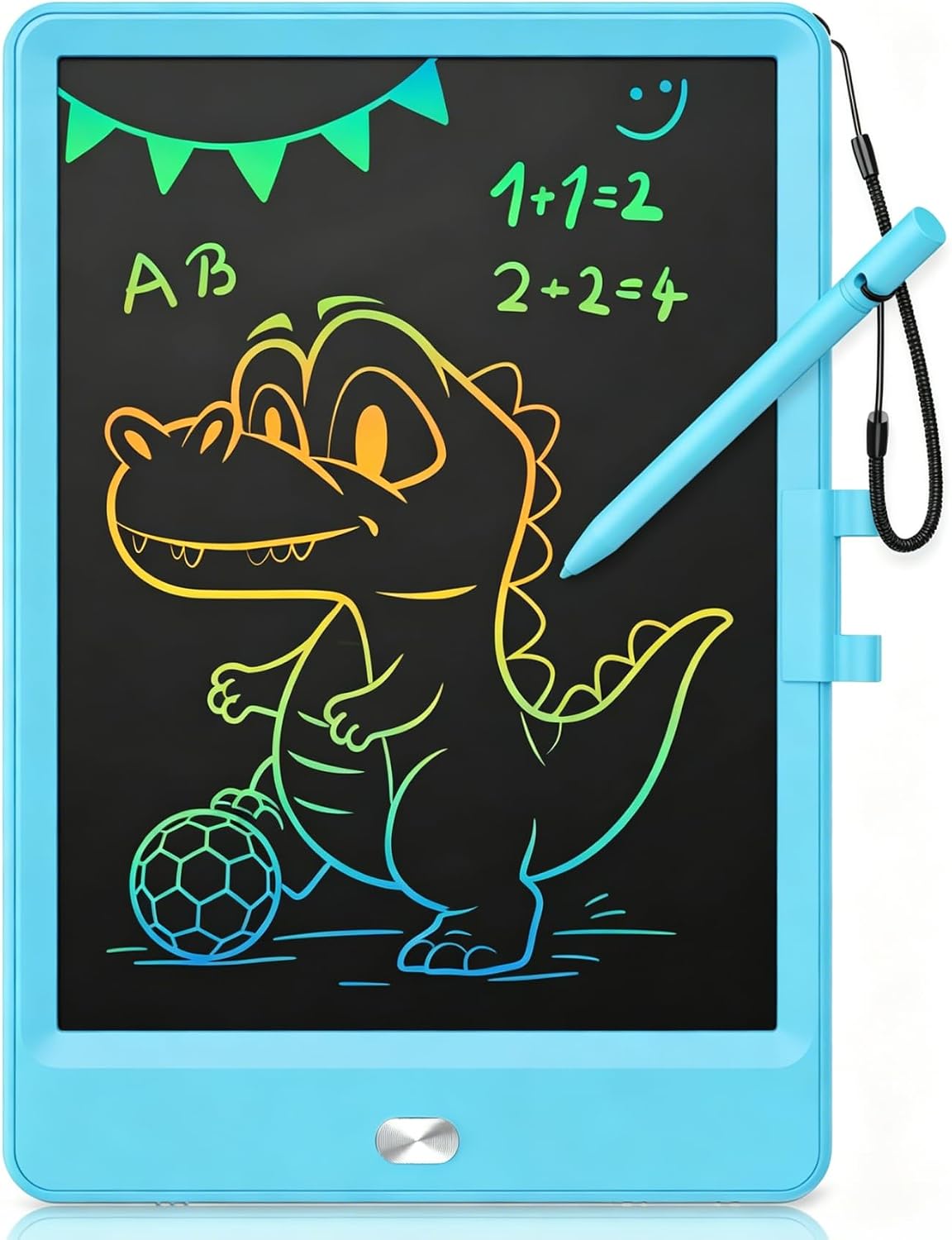
The KOKODI LCD Writing Tablet comes in an 8.5 inch size, which makes it a good choice for small laps and small bags. A compact board is easier for a three year old to hold with two hands and easier for a parent to carry with a snack and a water bottle. The listing describes a colorful screen that uses pressure sensitive technology and says the pad has no glare and no radiation.
The seller says the battery lasts about six months, can be replaced, and does not need charging or plugging in. The listing also gives a weight of around two hundred grams and a thickness of about one third of an inch, with a rounded case meant to resist shocks and drops. It uses the same erase button and lock key pattern as the other LCD pads, and lines grow thicker the harder a child presses.
A smaller drawing area suits preschoolers who are still learning to control a stylus, because it keeps everything within easy reach. It also helps with traveling, where a ten inch board may feel too big for a tray table. A child can draw animals, trace letters and practice counting dots on a screen that fits comfortably across a car seat. Smaller pads also tend to be easier to stash in a coat pocket or a seat back net.
The listing makes a safety point that parents will appreciate: the battery compartment is held by a screw, so a toddler cannot easily reach a button battery. It also notes that you may see scratches on the screen when you open the package, caused by transit, and that pressing the erase button clears them. The seller recommends using the pad under light, so try a bright room rather than a dim bedroom.
6. [4 Pack] Genialba LCD Writing Tablet 8.5-Inch Colorful Doodle: Best Multi Pack Value
![[4 Pack] Genialba LCD Writing Tablet 8.5-Inch Colorful Doodle](https://m.media-amazon.com/images/I/71J0rWqdREL._AC_SL1500_.jpg)
Our score: 9.2/10 iOur editorial score (1 to 10), based on listing specs, features and how well each pick fits its use case. It is not an Amazon customer rating.
4 pack 8.5 inch LCD screens Four colors Ages 3 to 8
The Genialba pack includes four LCD writing tablets, each with an 8.5 inch colorful screen, and it is the most practical choice when more than one child will use them. The title lists pink, blue, green and purple bodies, which helps siblings tell their pads apart and cuts down on the fights that come from sharing a single board. For a budget focused household, that pack format can be the smartest way to spread cost.
The product page gives only a short description, so we keep the claims modest. It names the pads as colorful doodle boards and electronic drawing pads for children aged three to eight. The format matches other LCD pads in this guide, so you can expect a pressure sensitive screen, a stylus and an erase control, but you should confirm exact details such as battery type and lock features on the live listing.
Four pads are useful in more places than the living room. A parent hosting a birthday gathering can hand one to each guest for quiet table time. A preschool teacher or a home daycare provider can set them out for a calm activity. A family can keep one in each car, one in a travel bag and one at a grandparent’s house, so nobody has to remember to pack the pad.
The caveat is that more pads mean more small parts to watch. Each unit likely includes a stylus and a battery, so an adult should check each one for loose pieces and keep the extras stored out of reach of toddlers. Because the listing gives few specifics, compare it with the single pad options before you buy, especially if you want a lock switch or a particular battery design. Give each child a pad of a different color so that everyone knows which one belongs to them.
7. 15 Inch LCD Writing Tablet for Girls Ages 3: Best Large Screen

Our score: 9.2/10 iOur editorial score (1 to 10), based on listing specs, features and how well each pick fits its use case. It is not an Amazon customer rating.
15 inch LCD screen Ages 3 to 12 Screen free positioning Quiet time use
The 15 Inch LCD Writing Tablet is the largest board in this guide, and its size is the whole point. A bigger surface gives a preschooler room to draw with the whole arm, which is how many young children first learn to make circles and lines. It also gives an older sibling enough space to work on spelling, math problems or lists. The listing says the pad suits kids from age three to twelve.
The seller describes it as a screen free writing pad for learning and quiet time, meaning it does not run apps, videos or games. It is a drawing surface only, which is a plus for parents who want creative play without another glowing device. The listing points to car rides, plane trips, restaurants and waiting rooms, as well as homework scratch work after school. That makes it a calm choice for a long afternoon at the table.
For ages three to five, the larger canvas is helpful because it forgives wobbly aim. A small pad can feel cramped when a child draws a big sun or an animal, but a fifteen inch board lets them stretch out. It also works well on the floor, on a low table or on a car seat tray, where two children can draw side by side if one of them is happy to share.
There are tradeoffs. A fifteen inch board is bulkier than an eight or ten inch pad, so it takes more space in a bag and may be harder for very small hands to carry. The listing does not spell out battery size, weight or screw secured doors, so check the product page for those details and have an adult inspect the battery area. Handle it gently, because a big flat pad can flex if dropped.
8. SGILE Magnetic Drawing Board for Kids: Best Stamp Drawing Board

Our score: 9.2/10 iOur editorial score (1 to 10), based on listing specs, features and how well each pick fits its use case. It is not an Amazon customer rating.
Two size options Magnetic stamps BPA free HIPS plastic Curved pen tip
The SGILE Magnetic Drawing Board is a classic style pad rather than an electronic one, and it is aimed squarely at toddlers and preschoolers. The listing offers two sizes, a standard board of about 9.8 by 7.1 inches and a large board of about 16.5 by 12.5 inches. The large version is the one named in the title, and it gives young children generous space to doodle, stamp and practice early letters.
The board uses a pen and stamps that work with a magnetic surface. According to the listing, each stamp has a built in magnet that clings to the board, so pieces do not roll away or get lost under a couch. An enlarged eraser slides across the screen to clear the drawing, which a small child can do with little effort. The seller says this is great for shape stamping and early writing practice.
This board suits children who like to stamp and match more than they like to draw detailed pictures. It is a calm, quiet activity for tables and travel, and the stamps can introduce letters, numbers and simple shapes without any batteries. A child who is not yet ready to control a stylus can still enjoy pressing a stamp and sliding the eraser, which gives early successes right away. Lining the stamps up in a row also gives a child a first taste of pattern play.
Safety is a strong point in the listing. The board is made of BPA free HIPS plastic and has rounded edges and a curved pen tip. Even so, stamps and pens are small pieces, so supervise children who still mouth objects, and count the pieces after play. Because this is not a screen, there is no battery to worry about, which simplifies handling for the youngest users. Wipe the surface now and then so the stamps slide and stick cleanly.
9. Crayola 2-in-1 Doodle Board for Toddlers: Best Mess Free Gel Board

Our score: 8.8/10 iOur editorial score (1 to 10), based on listing specs, features and how well each pick fits its use case. It is not an Amazon customer rating.
Double sided board 3 washable markers Sealed gel surface Built in marker holder
The Crayola 2 in 1 Doodle Board for Toddlers is the odd one out in this list, and that is a good thing. It is a squishy, double sided board that comes with three washable markers, so it feels more like a play toy than a gadget. The listing describes one side as a sealed gel surface for mess free doodling and the other as a reusable drawing surface, which gives toddlers two different ways to explore.
The kit includes one double sided doodle board and three washable markers, and the board has a built in marker holder so each marker has a home. The seller says the markers wash from skin and most launderable clothing, which is useful for families who have been caught out by ink on a sleeve. The listing also describes a sensory feel that supports fine motor skills. It is a straightforward kit that needs no setup.
This board fits the youngest end of the preschool age range especially well. A two or three year old can press and swipe on the gel surface, while a four or five year old can use the markers to draw on the other side. It is compact and sturdy, which makes it handy for car rides and flights, and it asks very little of a parent beyond handing it over.
Washable does not mean edible, so keep an eye on markers and caps with children who still put things in their mouths, and store the markers away after play. Check the listing to see which markers work on which side, and wipe up any spills quickly on fabric. Compared with the LCD pads, this is a more tactile experience, so many families will want to keep both types on hand.
10. Wacom Intuos Small: Best Step Up Pen Tablet
Our score: 9.2/10 iOur editorial score (1 to 10), based on listing specs, features and how well each pick fits its use case. It is not an Amazon customer rating.
Wired connection Battery free pen Small size Software included
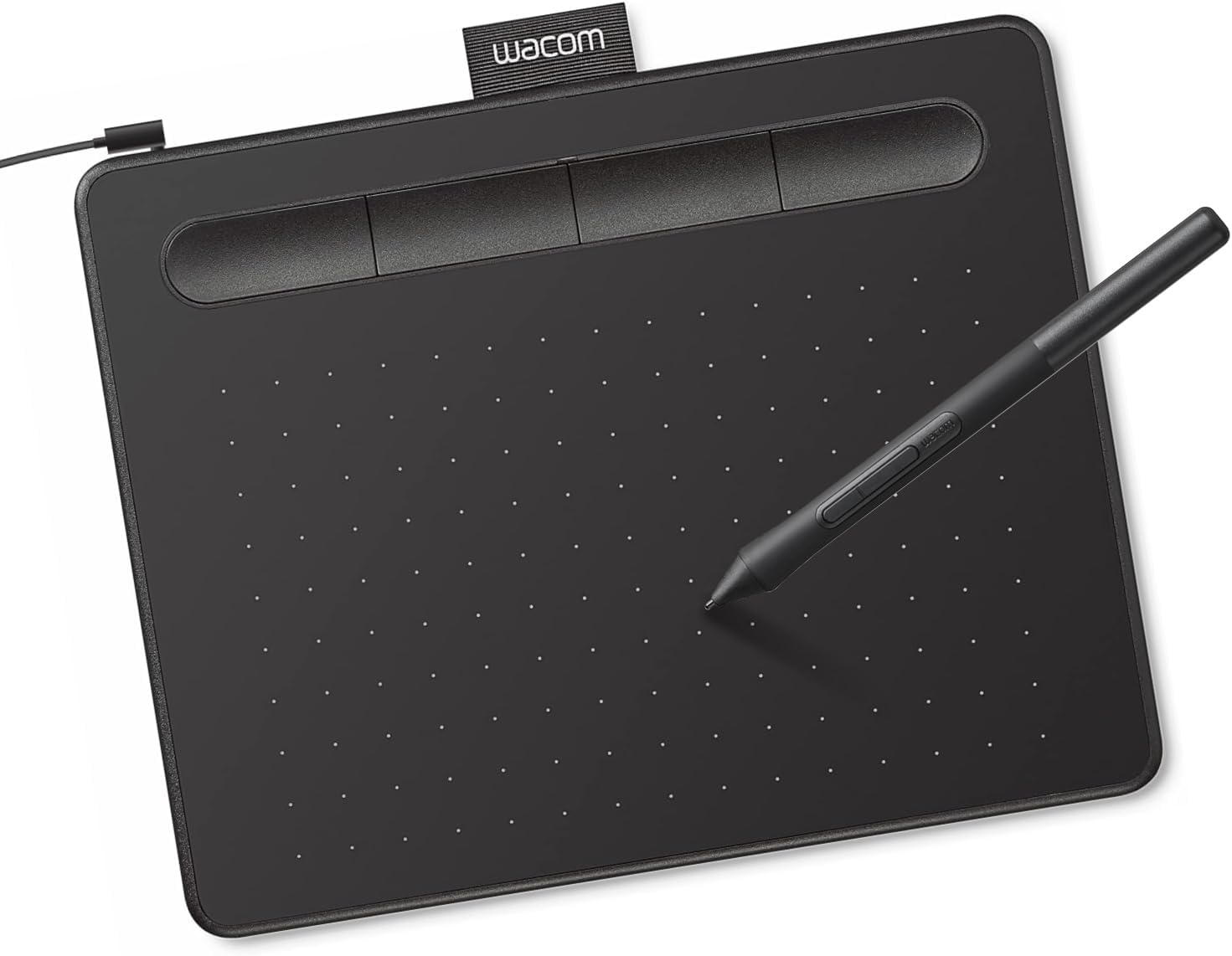
The Wacom Intuos Small is a real pen tablet, and it is the least suited product here to ages three to five. It earns a place because many parents search for a drawing tablet and end up comparing it with simple doodle pads. A pen tablet has no screen of its own. The child draws on the surface while the picture appears on a computer, so it is a very different tool from an LCD pad that shows lines directly under the stylus.
The listing says the Intuos Small is wired and comes with a pen that uses battery free technology designed to feel like pen on paper. It works with all software, from drawing and painting programs to photo and video editing, and the seller states that registered buyers receive software and online training. The product is described as a tool favored by professional graphic designers. Parents should view that as a creative tool for later years, not a toy for now.
Be honest about the fit. A preschooler would need an adult to connect the tablet to a computer, open a program and supervise the whole session. Looking at the table while the picture appears on a monitor requires hand eye coordination that most three to five year olds have not built yet. It makes more sense for a child of around eight or older, a tween or a teen who wants to try digital art.
If you still choose this model for a younger child, plan on sitting alongside them. The cable and the pen are items that need supervision, and a computer screen should be limited like any other screen time. For most families with a three to five year old, one of the simple LCD pads or the gel board will be easier, safer and far less frustrating than this pen tablet. A simple pad is a better first step.
How to Choose the Best Affordable Drawing Tablets For Preschoolers
What Counts as a Drawing Tablet for a Preschooler
For a three to five year old, a drawing tablet is rarely a computer. Most of the options on this list fall into three families: LCD doodle pads, magnetic or gel boards and pen tablets that connect to a computer. The LCD pad shows a drawing on its own screen and erases with a button. A magnetic or gel board uses a pen, stamps or markers on a surface that clears by sliding an eraser or wiping the surface.
A pen tablet is the odd one out. It has no screen of its own and relies on a computer, a program and some skill with hand eye coordination. In this guide, nine of the ten picks are simple, stand alone toys, while the Wacom Intuos Small is a tool for older children. Knowing which family a product belongs to saves you from buying something that looks right but cannot do what a preschooler needs.
How LCD Doodle Pads Work
The LCD pads in this guide use pressure. The listings explain that a stylus, a fingernail or any hard object presses on the flexible screen and creates a line, and that the line gets thicker as the child presses harder. The screen does not glow on its own, and the seller of one pad says it is not self illuminating. A button then clears the whole screen in a moment, ready for a new drawing.
Most of these pads add a lock key or lock switch. When the lock is on, the erase button will not work, which protects a finished drawing from an accidental press. That also explains a common puzzle, because a child who cannot clear the screen may have simply left the lock on. A quick look at the switch is usually all it takes to fix the problem.
How Pen Tablets and Magnetic Boards Differ
A magnetic drawing board uses a pen or stamps with magnets on a surface that holds the image until you slide an eraser across it. The SGILE board in this guide adds stamps with built in magnets so they stay on the board. These boards need no batteries and are simple for toddlers, though they usually draw in one tone, so color options are limited.
A pen tablet is a different tool again. The Wacom Intuos Small has a battery free pen and works with computer programs, so the drawing is made on the tablet but appears on a monitor. That setup is powerful for older kids and teens, but it needs a computer, a cable and a willingness to learn software. For preschoolers, a stand alone pad is almost always the better starting point.
Age and Skill Fit for Ages 3 to 5
A three year old usually scribbles with a whole fist, makes marks and enjoys cause and effect. A pad with one big erase button and a roomy surface is a good fit. A four year old begins to draw circles, lines and simple faces, so a stylus becomes easier to control. A five year old may start copying letters and numbers, and often enjoys saving a picture with the lock before a grown up has a look.
Skills vary a lot between children, so treat age labels as guides rather than rules. The listings in this guide mention ages three to eight or three to twelve, which means these pads are meant to last. Pick a board that will still feel useful in a year or two, but make sure the first week feels easy. Early success keeps a young child interested in drawing.
Screen Size and Portability
Screen size changes the way a child plays. An 8.5 inch pad is easy to hold and tuck into a small bag. A ten inch pad gives more room for drawings and is still light enough for a preschooler to carry. The fifteen inch pad in this guide offers the most space, which helps with big arm movements, but it is bulkier to travel with and harder for small hands to carry around.
Weight and thickness matter too. The listings give about one hundred fifty grams for one ten inch pad, about two hundred grams for the 8.5 inch KOKODI, and about six and a half ounces for the slim ten inch pad. Those differences are small on paper, but a lighter pad is simply easier for a small child to hold up in a car seat or on a plane tray.
Materials, Battery Safety and Labels
Most of the LCD pads in this guide are made of durable plastic, with one listing naming ABS and another naming BPA free HIPS for the magnetic board. For toys meant for young children in the United States, look for statements about compliance with CPSIA rules, and in Europe look for the EN71 standard. If a listing does not mention a label, do not assume it exists. Check the product page or ask the seller.
Batteries deserve the most attention. Small button batteries can be dangerous if swallowed, so a screw secured battery door, as described for the first and the KOKODI pads, is a smart design choice. Even then, an adult should open and close the compartment. Keep spare batteries and removed screws in a closed container, away from toddlers and younger siblings, and check the door now and then for any damage.
Small Parts, Cords and Supervision
Preschoolers are past the stage of putting everything in their mouths, but many children still mouth objects from time to time. Styluses, stamps, marker caps and screws are all small. Count pieces after play, store them in a bag or box, and set a simple rule that the pad stays on the table or the lap while the child draws. That keeps the loose parts from wandering around the house.
Cords are another point to watch. One pad lists an extra stretchy cord, and a pen tablet uses a wire to connect to a computer. Neither belongs in unsupervised play with a young child. If a product includes a cord, decide whether to keep it attached, and never let a child wrap it around a neck, a wrist or a sibling.
Budget Logic Without Chasing Features
Affordable does not have to mean flimsy. For ages three to five, the features that matter most are a light body, a simple erase button, a lock, and a sturdy case. Extra functions such as message board uses add little for a preschooler. A plain pad that a child can use alone beats a more complex product that needs a parent nearby for every session.
Think about cost per use, too. A pad that can be rewritten over one hundred thousand times, as some listings state, replaces a lot of paper and crayons. A multi pack can be an economical choice if you have several children, a classroom or party guests. A pen tablet looks modest in price among creative tools, but it requires a computer, so the real cost for a preschooler is much higher.
Care and Longevity
Basic care keeps a pad working longer. Wipe the screen with a soft, dry cloth, keep it away from water and heat, and store it flat rather than under a pile of books. A pad has a thin flexible screen, so avoid pressing hard with sharp objects, and teach the child to use the stylus that came with it. Heavy pressure from a pen or a key can leave marks.
Battery life varies. Two listings state a built in battery life of about six months and say it can be replaced, while others do not give a figure. If a pad goes dim or stops responding, an adult should check the battery first. Put the pad away when a child is not using it, because a quiet bag in the closet is kinder to it than a hallway floor.
A Simple Learning Path
Start with free scribbling for a week or two, letting the child discover that pressing makes a mark and the button wipes it away. Then try prompts such as a sun, a flower or a house. Parents can draw a dot and ask the child to join it to another dot, which builds control. Tracing lines from left to right is a gentle lead in to writing.
After that, move to letters and numbers. A child can copy their first initial, write numbers up to five and practice drawing shapes such as squares and triangles. Magnetic stamps are helpful here, since pressing a stamp creates a clean letter or shape. Praise effort rather than perfection, and let the child erase mistakes without worry, because that freedom is the great strength of a reusable board.
Common Mistakes to Avoid
One common mistake is buying a pen tablet for a preschooler because it looks like a professional tool. It needs a computer and a lot of adult help, and most three to five year olds find it confusing. Another mistake is forgetting the lock. If the lock is on, the erase button will not clear the screen, and a child can get frustrated thinking the pad is broken.
Parents also tend to overlook how a pad is stored. A thin board shoved into a crowded bag can crack, and a pad left in a hot car can suffer. Finally, do not treat any age label as a promise. Always watch your own child with the product for the first few sessions, and decide whether the stylus, battery door and other small parts are safe for them.
Gift Tips for Birthdays and Travel
A drawing pad is a flexible gift. It fits a birthday party bag, a stocking, a holiday basket or a plane trip. A multi pack works well for friends, cousins or classrooms. Pair a pad with a few sticker sheets or a small book of drawing ideas, and the present feels more complete without adding much cost. That small extra turns a plain pad into a gift that feels planned and personal. Wrap it with a short note about a first drawing challenge.
Think about who will receive it. A child who loves stamping and pressing will enjoy the SGILE board or the gel board. A child who likes to draw lines and shapes will want an LCD pad. If you are shopping for a child under three, pick a product designed for toddlers and read the listing carefully for small parts. Always check live listings for the current price and size options.
Frequently Asked Questions
Are these drawing tablets safe for a three year old?
Most simple LCD pads and boards are aimed at ages three and up, but safety depends on small parts, batteries and cords. Choose a screw secured battery door where possible, supervise play, and keep styluses, stamps and spare batteries out of reach when the child is not drawing.
What is the difference between an LCD pad and a pen tablet?
An LCD pad has its own screen where drawings appear directly under the stylus and clear with a button. A pen tablet has no screen and must connect to a computer, where the drawing appears. LCD pads suit preschoolers, while pen tablets suit older children.
Do LCD writing pads give off blue light?
One listing says its screen is not self illuminating and describes no blue light, and others use similar wording. Treat that as a seller claim. These pads do not run videos or games, but a young child should still take breaks and use the pad in good light.
Why will the erase button not work on my pad?
Many LCD pads have a lock key or lock switch that blocks the erase button so a drawing is not wiped by accident. If the button seems dead, check that the lock is turned off. One listing states this directly, and it is the most common cause.
How long does the battery last on these pads?
Two listings state a built in battery life of about six months and say the battery can be replaced, with around one hundred thousand writing cycles. Other listings give no figure. Check the product page you choose, and have an adult handle any battery changes.
Which is better for a preschooler, an LCD pad or a magnetic board?
Both work. An LCD pad gives color lines and a quick one button erase, while a magnetic board uses stamps and a slide eraser with no battery. Children who like to stamp may prefer the board, and children who like to draw may prefer the pad.
Is the Wacom Intuos Small a good choice for ages 3 to 5?
Honestly, no. It needs a computer, a cable and software, and an adult must set it up and supervise. It is better for children of about eight and up, as well as tweens and teens who want to try digital drawing.
Can a drawing pad replace paper and crayons?
It can reduce paper use, since one pad can be rewritten many times, but it does not fully replace real art supplies. Children still benefit from holding crayons and pencils. Keep the pad as a quiet, reusable extra for travel and short sessions.
What size drawing pad is best for a preschooler?
A ten inch pad is a good middle size, with space to draw and low weight. An 8.5 inch pad is easier for small bags, and a fifteen inch pad suits big scribbles. Choose based on where the child will use it.
Are multi pack tablets a good idea?
A multi pack can be economical for siblings, classrooms and party favors, and different body colors help avoid arguments. The Genialba listing gives few specifics, so check battery and lock details on the live page and inspect every pad for loose parts.
The Bottom Line
For most families, the 10 Inch LCD Writing Tablet for 3 to 8 Year Olds is the best starting point. It is simple, light, screw secured and easy for a preschooler to use alone. If you want a replaceable battery, look at the second pick, and if you want no screen and no battery at all, the Crayola 2 in 1 Doodle Board and the SGILE magnetic board are friendly choices.
Whichever you choose, keep an adult in charge of batteries, cords and small parts, and check live listings for the current price and sizes. Skip the Wacom Intuos Small until your child is older and ready for a computer based hobby.
Updated for the 2027 buying season. Amazon listings and availability change often, so check the product page for current details.



Write Your Review
No reviews yet. Be the first to share your experience!