

As an Amazon Associate we earn from qualifying purchases. If you buy through links on this page we may receive a commission at no extra cost to you. Product details come from Amazon listings and can change.
Choosing the best robot kits is harder than it looks, because the word robot covers everything from a chunky screwdriver toy for a three year old to a programmable build with hundreds of small parts. This guide sorts nine kits into clear roles so you can match one to the child sitting at your table, not to a vague idea of what a robot should be.
The list is written for parents, grandparents, gift buyers, teachers and older kids who want to pick their own project. Some picks run on a mechanical wheel, some on gears and hydraulics, some on an app or a remote, and a few lean toward electric motors and craft style building. We also say plainly when a kit is too advanced for younger children.
Prices change often and vary by seller, so we do not quote any. Every product below links to its live listing, where you can confirm the current price, the age marking, the battery needs and the exact contents before you order.
Key Takeaways
Best Robot Kits at a Glance
| Product | Our score | |
|---|---|---|
| Mechanical coding wheel programs the robot Best Overall |
9.0 / 10 | Check Price |
| Take Apart Robot Toys for Kids Best for Ages 3 to 5 |
9.0 / 10 | Check Price |
| Kids Construction Toys, STEM Toys for Best for Age 5 and Up |
9.4 / 10 | Check Price |
| Coding Robotic Set, Educational Birthday Gifts Best App and Remote Build |
9.2 / 10 | Check Price |
| Explore Gears, Cylinders & Pistons Build Best for Sparring Fun |
9.0 / 10 | Check Price |
| STEM Toys for Ages 8-13, DIY Best Five in One Remote Robot |
9.2 / 10 | Check Price |
| Robot Toys for 8-16 Year Old Best Wide Age Range |
9.0 / 10 | Check Price |
| 4M 5576 Table Top Robot Best Desk Robot |
8.8 / 10 | Check Price |
| Science Experiments Project Activities for Kids Best Motor Craft Projects |
9.0 / 10 | Check Price |
How We Chose the Best Robot Kits
This is a research based guide, not a lab comparison. We read each listing title and description, compared the stated age ranges, piece counts, control styles and project types, and looked for a healthy spread between simple and advanced kits. We also weighed how clearly each listing explains what a child will actually build, and how much adult help a typical family should plan for.
Safety matters in this category, because robot kits often include small parts, screws, motors and batteries. We only mention a safety label when a listing states it, and we remind buyers to follow the age marking on the box. Each pick also carries an editorial score out of 10, shown on the page, which comes from features, specs and how well the kit fits its intended use.
In-Depth Reviews
1. Mechanical coding wheel programs the robot: Best Overall

Our score: 9.0/10 iOur editorial score (1 to 10), based on listing specs, features and how well each pick fits its use case. It is not an Amazon customer rating.
Ages 10+ Mechanical coding wheel Mech-5 robot Throw, lift, kick, draw
The TEACH TECH Mech-5 earns the top spot because it teaches a real idea from programming without putting a screen in front of the child. According to the listing, a mechanical coding wheel programs the robot to throw, lift, kick, draw and perform other actions. That means the lesson is physical: the child sets the sequence, then watches the machine follow it. Parents who value a kit that rewards thinking over speed will appreciate this choice, since each action must be planned before the robot can carry it out.
The kit is sold as a STEM coding robot building kit, so the project starts with assembly and ends with programming. The listing names the coding wheel as the heart of the design, which is a neat way to show that a robot follows stored instructions. Check the listing for the exact piece count and for any battery requirement before ordering. Because the listing leads with the coding wheel, it is worth reading the product page closely to learn how the wheel is set up and what the finished robot looks like.
This set is aimed at kids ages 10 and up, which makes it a good match for upper elementary and middle school builders. It suits a child who likes to understand how things work, and it can double as a first taste of sequencing and cause and effect. Younger siblings should watch rather than build, since the assembly asks for patience and steady fingers. Teachers running a maker club or a robotics afterschool group could also use it, as one build can spark a conversation about how instructions become movement.
Plan for an adult nearby during the build, especially for small parts and any tools included. Set up on a table with a tray so screws and gears do not roll away. Because the drawing action needs a marker or pen, confirm on the listing what is included. A calm first session is better than rushing to finish in one afternoon. When the build is finished, encourage the child to explain each action out loud, because teaching someone else is a quiet way to lock in what was learned.
2. Take Apart Robot Toys for Kids: Best for Ages 3 to 5

Our score: 9.0/10 iOur editorial score (1 to 10), based on listing specs, features and how well each pick fits its use case. It is not an Amazon customer rating.
Ages 3+ 21 pieces Screwdriver toy set Take apart robot
The Educational Insights Design & Drill Robot is the one pick here made for the youngest crowd. Its title describes a take apart robot toy for kids 3 to 5 with a 21 piece toddler screwdriver set, and it is marked for independent play. For parents of preschoolers, it is a gentle first step into building before any real robotics begins. The result is a calm, quiet activity that a child can often start without waiting for a grown up to read a long manual aloud.
Instead of snapping hundreds of bricks, a child uses a chunky toy drill to attach and remove pieces. The listing counts 21 pieces in the set, so the job stays small enough for short attention spans. Check the listing for battery details, since a toy drill may need power depending on the model. Keep an eye on whether the drill needs batteries, and store any spare cells in a drawer that little hands cannot open.
This kit works on fine motor skills, turning motion and the basic idea that a machine is made of parts that fit together. It is not a coding toy and does not claim to be. A parent who wants coding at age four will need a different product, while a parent who wants a hands free quiet activity can lean on this one. Children at this age love repetition, so expect the same robot to be taken apart and rebuilt many times, which is exactly the point of the toy.
Even with an easy age fit, supervise play, because screws and small pieces can be a choking risk for children who still mouth objects. Check the age marking on the listing and keep the parts in a bin after play. Older siblings can borrow it, but it will feel simple to anyone past kindergarten. A small basket or a zip pouch by the toy box makes cleanup quick, and it teaches an early habit of putting each piece back where it belongs.
3. Kids Construction Toys, STEM Toys for: Best for Age 5 and Up

Our score: 9.4/10 iOur editorial score (1 to 10), based on listing specs, features and how well each pick fits its use case. It is not an Amazon customer rating.
Age 5+ Learning Resources Gears Robots in Motion Engineering building set
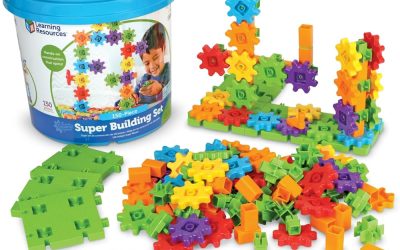
Learning Resources Gears Robots in Motion sits between the toddler drill toy and the older coding kits. The listing calls it a STEM toy for a 5 year old, a robot building kit and an engineering building set, which tells you where it belongs: early elementary, with gears at the center of the fun. Families who like to build toward a bigger idea will find the pairing of gears and robots a friendly entry point into simple machines.
Gears are a smart theme for this age. A child can turn one piece and see another respond, which is the first real lesson in how motion travels through a machine. The title names the set Gears Robots in Motion, so expect moving robots rather than static figures, and check the listing for the exact count of pieces. Watching one gear drive another is also a gentle introduction to ideas that older students meet later in science class, such as speed and force.
This kit suits a kindergartener or first grader who has outgrown simple blocks and wants something that moves. It also works in a classroom corner or a homeschool shelf where a child can build while a teacher circulates. Because it is not described as electronic or app based, it keeps the focus on hands, eyes and curiosity. A child can show the finished robot to a grandparent and explain what moves first, which turns playtime into a small presentation.
As with any set for this age, small parts need adult awareness, and younger siblings should not be left alone with the pieces. Read the age marking on the listing and keep the contents together in one tub. If your child is ready for more, the older kits further down this list make a natural next step. Parents can keep the energy high by building one robot together, then letting the child invent a second design alone on another day.
4. Coding Robotic Set, Educational Birthday Gifts: Best App and Remote Build

Our score: 9.2/10 iOur editorial score (1 to 10), based on listing specs, features and how well each pick fits its use case. It is not an Amazon customer rating.
Ages 8 to 13 488 pieces 5in1 buildable models App and remote control
The Sillbird 488 piece robot building kit is the pick for kids who want a lot to build and more than one way to play afterward. The listing describes a coding robotic set that is app controlled, with five buildable models in one box and a remote control, and it is pitched at boys 8 to 13. The combination of building, app control and a remote gives a child several reasons to return to the same box over a long weekend.
With 488 pieces named in the title, this is a longer project than the beginner kits. Five models in one set means a child can build, take apart and try a different design, which stretches the value of a single box. The app control suggests a phone or tablet is needed, so confirm what devices work on the listing. Since five different models share one set, a quick look at the listing images can help a child choose which robot to build first.
This set suits a patient builder who enjoys following instructions and who is ready for a mix of construction and light programming. It can also work as a shared project for a parent and child, with one person sorting parts while the other follows the steps. Kids at the lower end of the age range may want company. Kids who enjoy video games often take to the app side of this kit, because it links a physical build to something they already know.
Think about space before you buy, because nearly five hundred pieces need a tray or a shallow box to stay organized. Check the listing for batteries, the app requirements and what the remote needs. The listing suggests it is also marketed as a birthday or holiday gift, so order early if the date is fixed. Break the build into short sessions of about an hour each, and use a small cup for each type of piece to keep things moving smoothly.
5. Explore Gears, Cylinders & Pistons Build: Best for Sparring Fun

Our score: 9.0/10 iOur editorial score (1 to 10), based on listing specs, features and how well each pick fits its use case. It is not an Amazon customer rating.
Ages 10+ Thames & Kosmos Hydraulic Boxing Bots Gears, cylinders, pistons
Thames & Kosmos Hydraulic Boxing Bots takes a different route from the app kits, and that is why it earns its place. The listing says children can explore gears, cylinders and pistons, build working robots and spar with friends, all under the heading of a robotics and engineering set for ages 10 and up. Gifts for two kids can be tricky, so a set that invites a friendly match between siblings or classmates solves that problem neatly.
The word hydraulic is the clue to how it works. Instead of electronics, the build uses cylinders and pistons, so pushing on one part moves another, which is how many real machines operate. The title does not list a piece count or a power source, so check the listing before ordering. A child who wonders how a car jack or a digger arm lifts heavy loads will find the hydraulic idea fascinating once the pistons start to move.
The sparring theme makes this a good pick for two kids who like friendly competition. One builds a boxer, the other builds a rival, and the match becomes the reward for careful assembly. It suits a child who enjoys physical science and likes seeing cause and effect without needing a screen. Because the build ends in a game, it also helps children practice patience, since a loose or poorly seated piece may show up quickly in the match.
Because the kit is marked for ages 10 and up, younger children will probably find the assembly frustrating. Keep play friendly, protect eyes during sparring matches and have an adult check the contents for any tools or liquids named on the listing. Set up on a mat or tray so the build stays tidy. Parents of children who like to spar should remind everyone to keep hands away from faces, and to treat the robots, not each other, as the fighters.
6. STEM Toys for Ages 8-13, DIY: Best Five in One Remote Robot

Our score: 9.2/10 iOur editorial score (1 to 10), based on listing specs, features and how well each pick fits its use case. It is not an Amazon customer rating.
Ages 8 to 13 408 pieces 5 in 1 RC robot App remote control
The Opmind 5 in 1 STEM RC Robot Building Kit gives families a mid sized project with a clear goal. The title lists 408 pieces, five builds in one box, app remote control and a target audience of ages 8 to 13, so it fits readily alongside similar kits while holding its own identity. Kids who like to modify what they build often enjoy this style, because a five in one kit invites comparing one design with another.
The five in one design means a builder can create several different robots from the same set. Control comes through an app, which the listing pairs with remote control language, so confirm the compatible devices and the battery needs on the product page. It is described as an engineering robotics kit, not a simple toy. Look at the images on the listing to see how the models differ, since that will help your child decide which one to make first.
This kit suits a child who likes construction first and play second. The piece count is a little lower than the Sillbird set, which could mean a slightly shorter build for a child who prefers a manageable project. It also makes a reasonable classroom club or birthday gift for kids in the middle grades. It can also work well as a team project for a rainy afternoon, with one child reading the steps while another finds each piece in the pile.
As with every kit of this kind, plan some adult support for small parts and for any step that uses a screwdriver. Sort the pieces by type before building, and keep a lidded box for storage so parts do not wander. The listing mentions that it is aimed at boys, but any child in the age range could enjoy it. If the app does not connect right away, check the device settings and the listing notes before assuming something is wrong with the kit.
7. Robot Toys for 8-16 Year Old: Best Wide Age Range

Our score: 9.0/10 iOur editorial score (1 to 10), based on listing specs, features and how well each pick fits its use case. It is not an Amazon customer rating.
Ages 8 to 16 App or remote control Programmable blocks STEM projects
Robot Toys for 8 to 16 Year Olds stands out for its wide age window. The listing describes a programmable building block kit with app or remote control, framed as science and STEM projects, and it names girls and boys alike. That wide range gives families room to share one kit across siblings. Families that cannot decide between an app style robot and a classic remote style robot will like having both ideas in one box.
The control choice is a real advantage. Some kids enjoy driving a robot with a handheld remote, while others prefer to program behavior through an app, and this kit lists both. The title does not state a piece count or a model count, so look at the product page for what each build requires. Since the title uses the word programmable, older kids may enjoy experimenting with how changing a setting changes the way the robot moves.
This set suits a tween who wants something to grow into, and it also works for a teen who wants a relaxed building project without a steep learning curve. Siblings of different ages can take turns, with the older child helping the younger one. It is a flexible gift when you are unsure of the exact skill level. For a teen, the appeal may lie in making something cool for a shelf or a desk, so it can help to let them choose which design to build.
Since the range starts at 8, children at the younger end may need help with small blocks and instructions. Confirm battery and charging details on the listing and check which devices the app supports. A tray with compartments keeps the building blocks sorted and makes every later build faster. Always look at the age marking on the box, and let a younger builder work alongside an older sibling who can read the instructions aloud.
8. 4M 5576 Table Top Robot: Best Desk Robot

Our score: 8.8/10 iOur editorial score (1 to 10), based on listing specs, features and how well each pick fits its use case. It is not an Amazon customer rating.
Table top robot Edge detector DIY robotics Kids and teens
The 4M 5576 Table Top Robot is a compact do it yourself kit that fits on a desk. Its listing calls it a DIY robotics STEM toy with an engineering edge detector, aimed at kids and teens, boys and girls. The packaging may vary, as the title itself points out, so expect the box to look slightly different. Many parents like a desk project because it can be built at the kitchen table and then moved to a shelf, which keeps the house tidy.
The edge detector is the feature that gives the kit its personality. A table top robot that senses where the surface ends is a simple way to show how a machine can react to its surroundings. The title does not name a motor type or battery count, so confirm those details on the product page. Sensing the edge of a table is a simple form of what engineers call feedback, where a machine adjusts its behavior based on what it detects.
This kit suits a child who likes a self contained project that ends in a working machine on the desk. It is not a coding kit and does not call itself one, so it fits a family who wants electromechanical building without an app or a phone. It can also make a neat science fair starting point. Kids who want something to show friends at school or at a science night may enjoy how clearly the edge detector demonstrates a real engineering idea.
Because the title does not state a minimum age, check the listing for the recommended age and for small parts warnings. An adult should look over the instructions and help with any step that involves wiring or tools. Keep a tray nearby, then try the finished robot on a table with a clear edge. Since the box may look different from the picture, rely on the title and the details in the listing rather than on a particular look of the packaging.
9. Science Experiments Project Activities for Kids: Best Motor Craft Projects

Our score: 9.0/10 iOur editorial score (1 to 10), based on listing specs, features and how well each pick fits its use case. It is not an Amazon customer rating.
Ages 8 to 12 Electronic motor projects Science experiments Robotics kit set
The Science Experiments Project Activities kit is the most craft oriented pick here. The listing describes engineering building and electronic motor crafts, framed as science experiments and activities for children aged 8, 9, 10 and 12, and it is sold as a robotics kit set and a STEM gift. A kit made of several small activities helps a child who is easily bored, because a fresh challenge is never far away.
The title puts the emphasis on projects, plural, so the kit seems to offer a series of small builds rather than one large robot. It also mentions electronic motor work, which points toward moving models. The title does not list the exact projects or the piece count, so check the listing for the details before ordering. Crafts and motors together also attract kids who enjoy making things with their hands, such as models, decorations or simple moving toys.
This set suits a child who likes crafting and experimenting more than following a single long instruction booklet. It also appeals to families who want a rainy day activity with a science label. Because it is multi project, a child who loses interest in one build can move on to the next without waiting. Parents who want a gift that can be opened and enjoyed in pieces over a week may like this format better than a single large build.
Keep expectations realistic, since the listing does not promise a programmable robot. Adult help is wise for motors, batteries and small parts, and the age marking on the listing should guide the decision. A shallow tray, a pair of small pliers if included, and a calm table make the experience smoother. Check the list of what is included, and consider adding a few household items like tape or a marker, which many craft projects call for.
How to Choose the Best Robot Kits
What counts as a robot kit
A robot kit is any set that lets a child build a machine from parts and then make it do something. That can mean a mechanical wheel that sequences actions, a set of gears that pass motion along, hydraulic cylinders that push and pull, or an app that drives motors. The picks here cover all of those, so the word robot is used broadly. Starting with that simple definition also helps when you compare kits, because you can ask whether the set builds, moves and responds.
Because the label is so loose, read the listing title closely. Words like coding, programmable and app controlled point to software. Words like gears, pistons and take apart point to mechanical play. Knowing which type your child enjoys saves money and avoids a kit that sits unopened on a shelf. Parents who are new to the category should also remember that a robot kit is a toy first, so fun matters as much as the lesson.
Matching a robot kit to age and skill
Age marking is the first filter. In this list, the Design & Drill Robot is aimed at ages 3 and up, Gears Robots in Motion at age 5, the Sillbird, Opmind and science craft kits at roughly ages 8 to 13, the wide range kit at 8 to 16, and the Mech-5 and Boxing Bots at 10 and up. Do not be afraid to pick a kit slightly below the stated range, because a confident finish matters more than a hard challenge.
Skill matters as much as age. A patient nine year old may handle a 400 piece build, while an impatient eleven year old may prefer a quick desk robot. Think about how long your child will stay with a task before frustration sets in, and choose a kit that fits that attention span rather than the age printed on the box. It is also worth thinking about reading skill, since a long instruction booklet can slow down a child who finds written steps tiring.
Mechanical, app controlled and hydraulic robots compared
Mechanical kits, like the Mech-5 coding wheel or the gear sets, make the machinery visible. A child can see why something moves. Hydraulic kits take that a step further by using cylinders and pistons. These styles tend to work well for kids who are curious about how real machines operate and who like touching every part. Neither style is better in every case, and some children enjoy both, so a family with two or three kits can mix them over a school year.
App and remote kits add a second layer, since the finished robot can be driven or programmed from a device. They often come with more pieces and more models in one box. They also depend on a phone or tablet, so check that your household device works with the app before buying. Think about how your child already plays, and let that guide the choice between building by hand and controlling by phone.
Small parts, screws and batteries
Almost every robot kit includes small parts, so supervision is part of the plan. For children under 3, none of these kits are suitable, and even the preschool pick needs an adult watching, because screws and pieces can be a choking risk. Follow the age grading on each box. A good habit is to open the box on a tray and do a quick count of parts, then set the screws and tiny pieces aside in a small cup.
Many kits also use batteries or motors. Check the listing to see whether batteries are included, which size they are and whether a charger is needed. Keep battery compartments closed, store spare batteries out of reach of young children and ask an adult to handle any tools or any step that involves wiring. If a piece goes missing, stop and look for it before play continues, especially in a home with a toddler or a pet.
Safety labels and standards to look for
Listings sometimes mention standards such as ASTM or EN71 for toys. In the data for this guide, no listing states a specific standard, so we do not claim any. If a safety label matters to you, look for it on the product page or the packaging, and treat a missing label as a reason to ask the seller. When a listing makes a safety claim, it is worth checking that the claim appears on the packaging or the manufacturer information as well.
No label guarantees safety on its own. Age grading, adult supervision and sensible storage matter just as much. A kit marked 10 and up should not be handed to a five year old, even if the child is clever, because the age mark reflects small parts and tool use as well as difficulty. Families can also look up general toy safety advice from consumer groups, which explains how age grading and small parts rules work.
How much space and storage you need
Robot kits spread out. A set with hundreds of pieces needs a flat table, good light and a tray or sorting box. The 488 piece and 408 piece builds are the most space hungry, while the Design & Drill Robot and the table top robot ask for far less room. Think about where wet or sticky snacks will be, because crumbs and juice are an enemy of both paper instructions and small gears.
Plan where the finished robot will live too. A desk robot can stay on a shelf, while a remote controlled build might need floor space for driving. Keep the original box or a lidded bin, because instruction booklets and tiny parts are easy to lose between sessions. A foldable play mat can turn any floor into a building zone and can be rolled up quickly when dinner is ready.
Budget logic without chasing a price
Prices change, so we do not quote any. A better way to think about budget is value per hour of play. A kit with five models, such as the Sillbird or Opmind sets, can fill many afternoons, while a single purpose kit may be finished in one sitting but offer a clear lesson. Another clue to value is how clear the listing is about contents, since a kit with a described piece count is easier to judge.
Also think about who will share it. A kit that two siblings can build together, or that a classroom can reuse each term, spreads its cost over more children. Check the live listing for current pricing and for any seller notes about returns before you commit. It also helps to consider whether the kit can be rebuilt in new ways, which gives longer life than a one time build.
Building a learning path from first robot to advanced kit
A sensible path starts with a take apart toy at ages 3 to 5, moves to gears and simple machines around age 5, and then reaches construction and coding at 8 and up. Mechanical coding and hydraulics make a good bridge for kids who are not ready for an app but want more than blocks. Let the child take photos of finished builds, which gives a sense of progress and makes a nice record for relatives.
At each stage, let the child lead. If a builder finishes a kit quickly and asks for more, move up. If the child struggles, repeat the build or try a craft style kit with several small projects. Patience beats pushing, and the best learning often comes from rebuilding after a mistake. When a kit becomes too easy, passing it to a younger cousin or a neighbor keeps the learning cycle going.
Common mistakes when buying a robot kit
The first mistake is buying for the age on the box without checking the child’s patience. The second is assuming that any robot kit teaches coding. Some kits, like the take apart robot and the gear set, teach mechanics instead. Reading the title carefully avoids disappointment. A third mistake is buying a kit only because it has the most pieces, when a smaller set may be more satisfying to finish.
Another common slip is forgetting extras. Batteries, a compatible phone or tablet, a marker or small tools may not be included. A last minute trip to find a battery size can spoil the excitement of opening a gift, so confirm the list of what is needed before the wrapping paper comes out. Finally, avoid hiding instructions or sorting trays, since a missing booklet can end a project before it begins.
Gift tips for birthdays and holidays
Robot kits make strong gifts because they come with a ready made project. Pick a kit one step below what you think your child can do, so the first build ends in success. Include a small tray or a sorting box as a bonus, which helps the child stay organized. A handwritten note with a short build idea, such as making the first robot together on Saturday, adds a personal touch.
Order early if there is a fixed date, since delivery windows on listings can change. Keep the gift receipt handy, in case the age fit is wrong, and tell the recipient that an adult helper is welcome. A shared first session often becomes the favorite memory of the gift. If the recipient already owns a kit from the same category, choose a different type so the gift feels fresh.
Care and longevity of robot kits
With a little care, a robot kit can last through several builds and even pass to a younger sibling. After each session, count the major parts, return them to the box and keep the instruction booklet flat. Wipe plastic parts with a dry cloth and keep them away from damp places. Teach children to remove parts gently and to avoid forcing pieces that do not fit, which protects thin plastic and small gears.
For kits with motors or electronics, remove batteries when the robot will sit unused for weeks, which helps prevent leaks. Hydraulic parts should be stored according to the instructions. A tidy routine at the end of each play session is the simplest way to keep a robot kit working. Label bins with the kit name if you own more than one, so loose parts from different sets do not get mixed up.
Frequently Asked Questions
What is the best robot kit overall?
The TEACH TECH Mech-5 is our top pick, because its mechanical coding wheel shows how a robot follows a sequence of actions without a screen. It is aimed at ages 10 and up, so younger children may prefer a simpler kit.
Which robot kit is best for a 3 year old?
The Educational Insights Design & Drill Robot is the one pick made for ages 3 and up. It uses a toy drill and 21 pieces, and an adult should watch play because small parts can be a choking risk.
What is a good robot kit for a 5 year old?
Learning Resources Gears Robots in Motion is described as a STEM building toy for a 5 year old. It focuses on gears and moving robots, which suits early elementary builders who like to build and turn things.
Do robot kits teach coding?
Some do and some do not. The Mech-5 uses a mechanical coding wheel, and the Sillbird and wide range kits mention app control. The take apart robot and gear sets teach mechanics instead, so read the listing carefully.
Do I need a phone or tablet for these robot kits?
Only some of them. The Sillbird, Opmind and wide range kits mention app control, so a compatible device is likely needed. The Mech-5, the Boxing Bots, the gear set and the Design & Drill Robot do not mention an app.
Are robot kits safe for young children?
Robot kits contain small parts, screws and sometimes batteries, so they need adult supervision. None are suitable for children under 3. Follow the age marking on each listing, and never leave small pieces within reach of a toddler.
How long does it take to build a robot kit?
Build time depends on the kit. A 21 piece toy may take a short session, while a 400 or 488 piece set could fill several afternoons. Check the listing for the piece count and plan breaks so a child does not get tired.
Can two kids share one robot kit?
Yes, especially kits with many pieces or several models, such as the Sillbird and Opmind sets. The Hydraulic Boxing Bots are made for sparring with friends, so two builders can each create a robot and compete.
Are these robot kits good for classrooms?
Several can work in a classroom, including the gear set for younger students and the multi project science craft kit for older ones. Teachers should count the pieces, check the age marking and plan for adult support with small parts.
Do robot kits need batteries?
Some do, but the titles here do not always say. Kits with motors, remote control or app control often need power. Check each listing for battery type, charging needs and whether batteries are included before you order.
The Bottom Line
The best robot kit is the one that matches your child’s age, patience and curiosity. For most older kids who want a thoughtful project, the TEACH TECH Mech-5 is the strongest all around choice, thanks to its coding wheel and varied actions.
If your child is younger, start with the Design & Drill Robot or the Gears Robots in Motion set, and save the app and hydraulic kits for later. Whichever you pick, confirm the age marking, battery needs and contents on the live listing, and keep an adult close during the build.
Updated for the 2027 buying season. Amazon listings and availability change often, so check the product page for current details.




Write Your Review
No reviews yet. Be the first to share your experience!